
Member Portal - Click to Cancel
Last updated on June 08, 2026
The Click to Cancel feature is a tool that gives your members the ability to initiate a cancellation remotely via the online Member Portal. Members who have signed up originally or registered with the Member Portal may cancel their accounts based on the terms you provide, meaning that you still maintain control over how and when your members may cancel.
(Note: your User account must be at least Security Access Level 5 to access this feature)
1. Finding Cancellation Settings
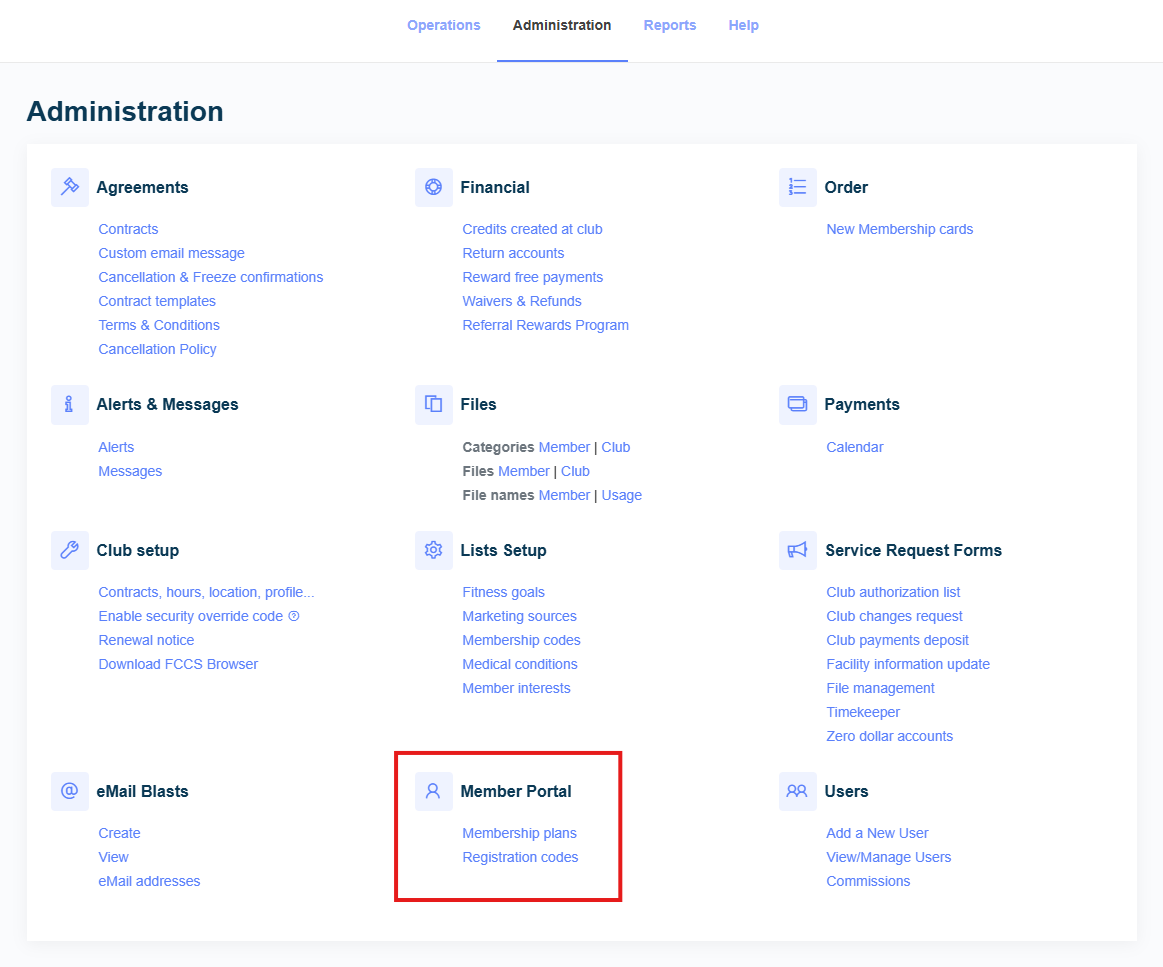
Login to Club Advantage with your User account, and navigate to the Administrationpage. Locate the Member Portalheader near the bottom of the page, and click on “Membership plans”.
2. Cancellation Settings
The Member Portal Managerwill open in a new window. Near the top of the window, you will see your different tab options: NEW,EDIT,RENEWAL,and CANCELLATION SETTINGS.Choose Cancellation Settings.
On the Cancellation Settings tab, you will see a dropdown menu for Membership Typeoptions. This menu allows you to select which membership type you’d like to set the policy for, including Open End, Fixed Term, and an option for Both. You may use the Open End and Fixed Term options to set independent policies for each, or theBothoption to set a single policy that applies to both membership types at once.
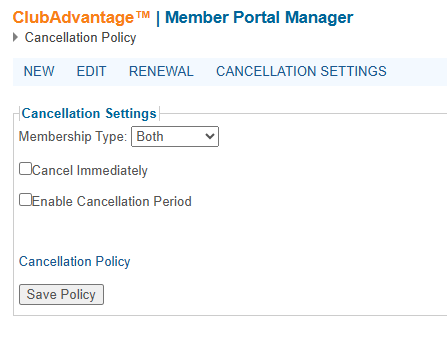
Once you have selected the Membership Type you wish to configure the cancellation for, you may select from the two available cancellation options provided: Cancel Immediately, and Enable Cancellation Period. These options behave the same as Cancellations you enter into Club Advantage manually, giving you just as much control over how cancellations are processed on the Member Portal.
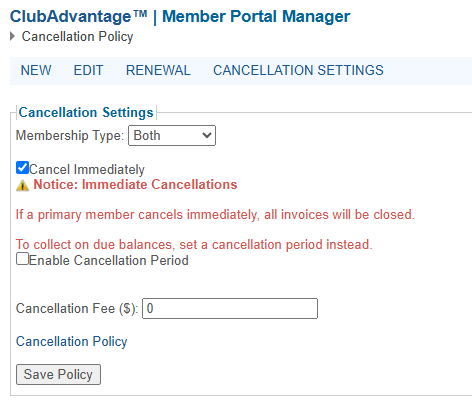
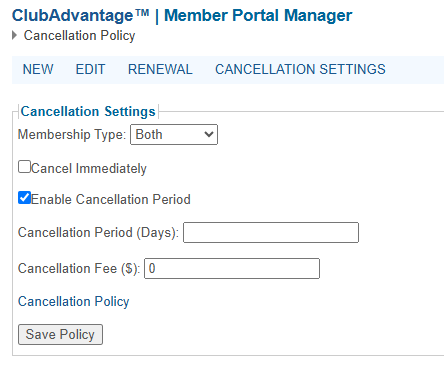
The Cancellation Fee ($)field allows you to set a fee that the member will need to pay as part of their cancellation. This fee will be charged so long as you have given a value, regardless of which Cancellation option you choose.
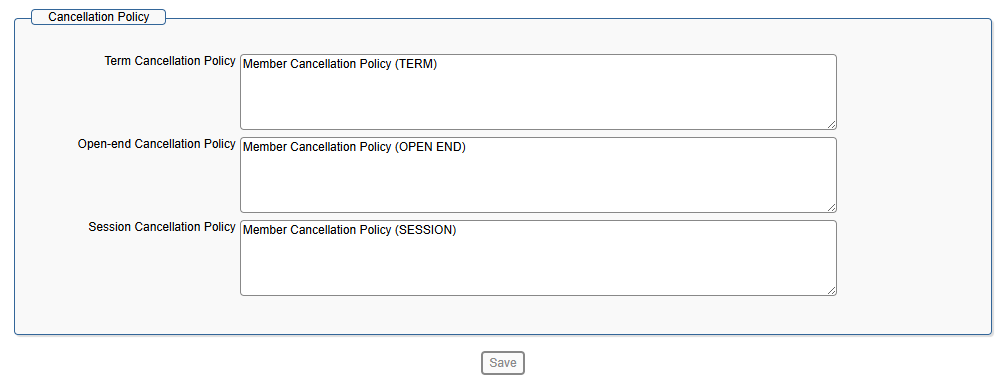
The Cancellation Policylink will open another window which allows you to edit the cancellation policy that is displayed to members when cancelling.
If you have any questions about Click to Cancel, or the Member Portal, please feel free to contact us via our Client Line at 877-772-3348. You may also defer your members to our Member Line at 866-462-3348 for assistance with the Member Portal.