

How Do I Freeze Or Suspend A Member's Account?
Last updated on June 08, 2026
Freezing an account will allow you to stop the billing on an account for a fixed or infinite amount of time. You can choose to have no fee or have a maintenance fee during this time.
You can only freeze/suspend a member's account if the membership is Open End. Replace them to Open End if they are set to Fixed Term and you would like them frozen
Freezing an account will not cancel out any prior debt, so make sure you Replace an account or have the member complete payment to make them current.
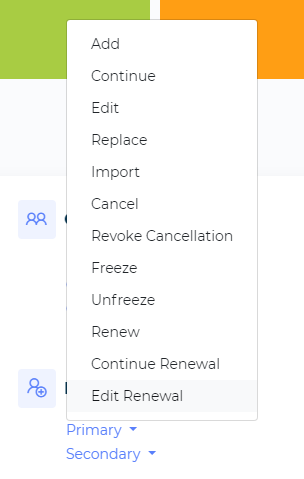
Select Primary Under Member Management

Select Freeze From the List
Search For the Member
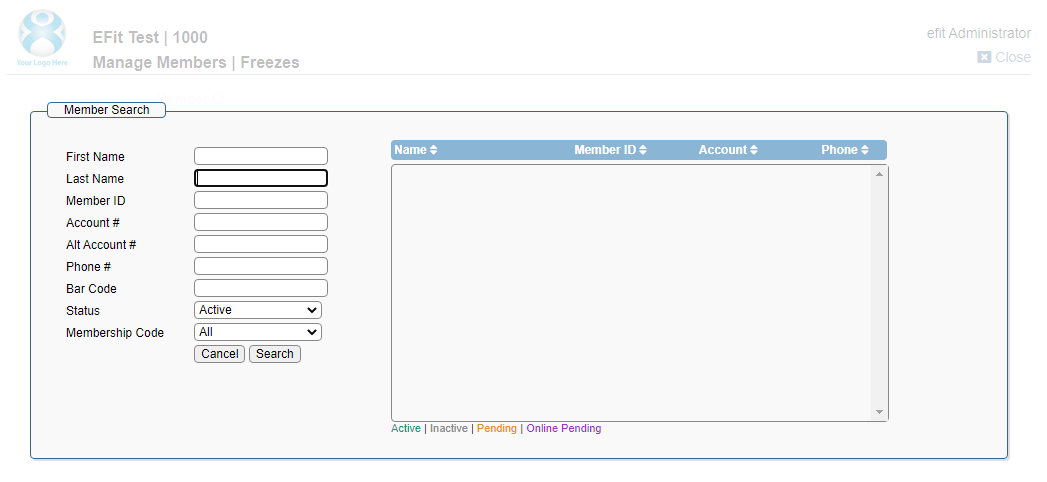
Click on the name if there are more than one.
Fill Out Required Fields
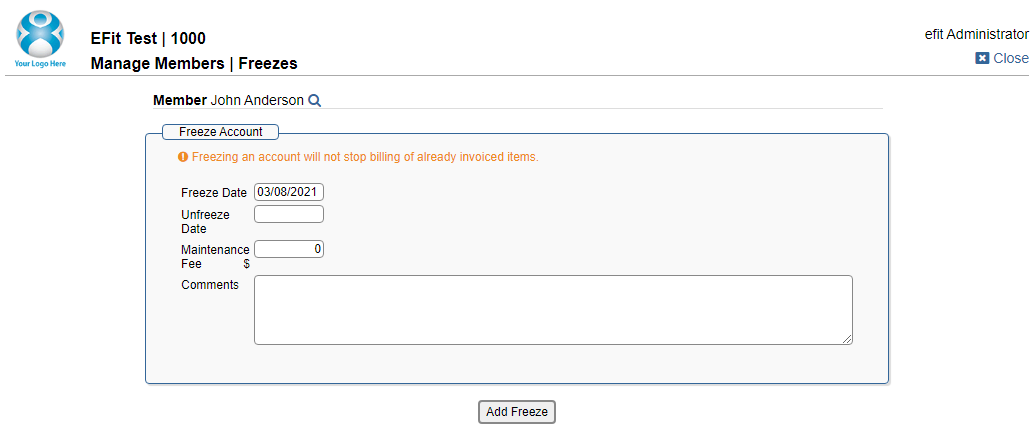
The freeze date can be set to today, but can also be scheduled for the future.
If unfreeze date is left blank - if will notunfreeze until you manually unfreeze it.
Maintenance fees are not required. If you put them in, they will bill on the same date as the current payment.
Comments are required, and will be notated in the member’s History.
Submit
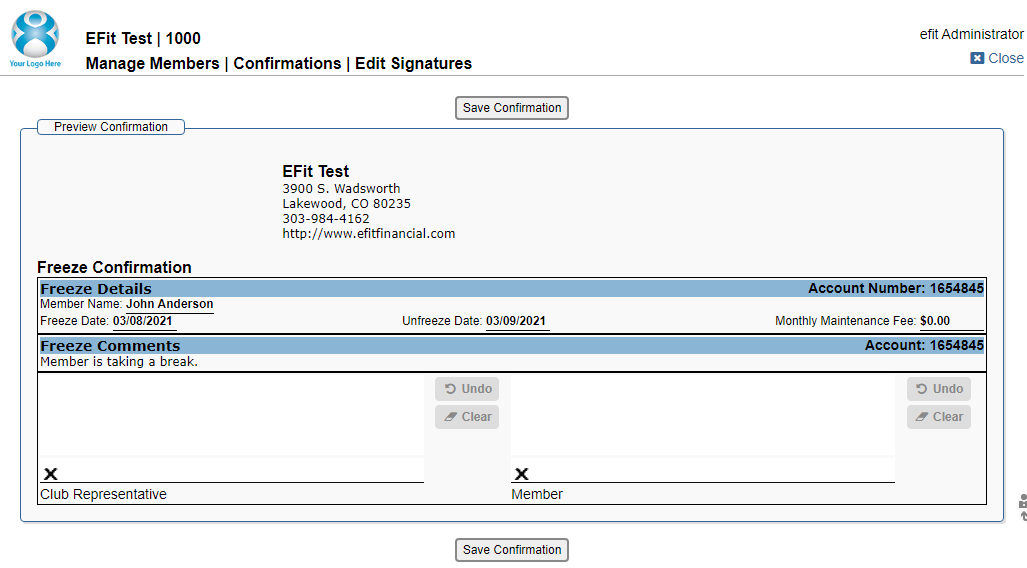
If the freeze is submitted successfully, a confirmation will appear.