

Changing Member's Payment Method
Last modified by Isaac Mejia on 2026/06/08 20:03
Last updated on June 08, 2026
Member's are allowed to have different types of payment methods such as Credit/Debit Card or Direct Debit from their Checking or Savings account. This guide will show you how to change that method.
Go To Member Profile
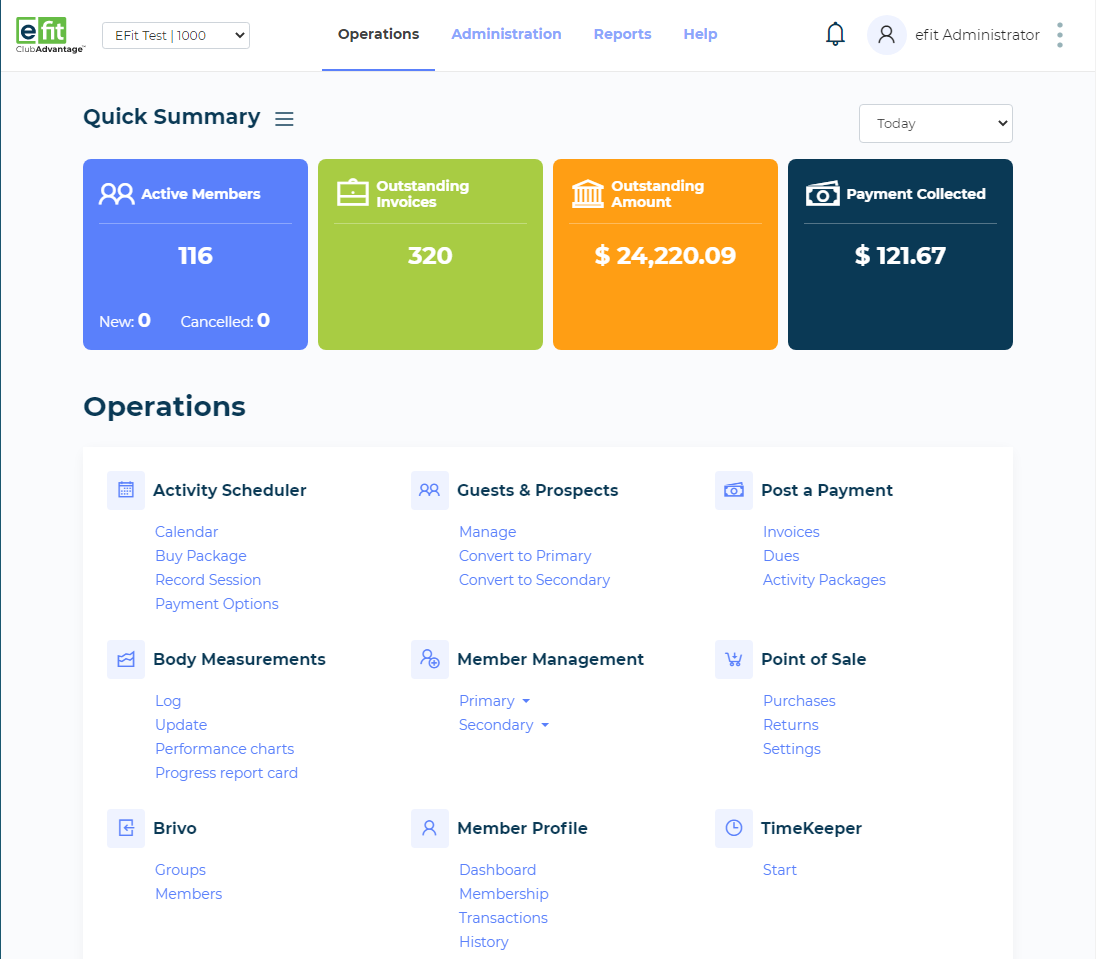
Search and Select the Member
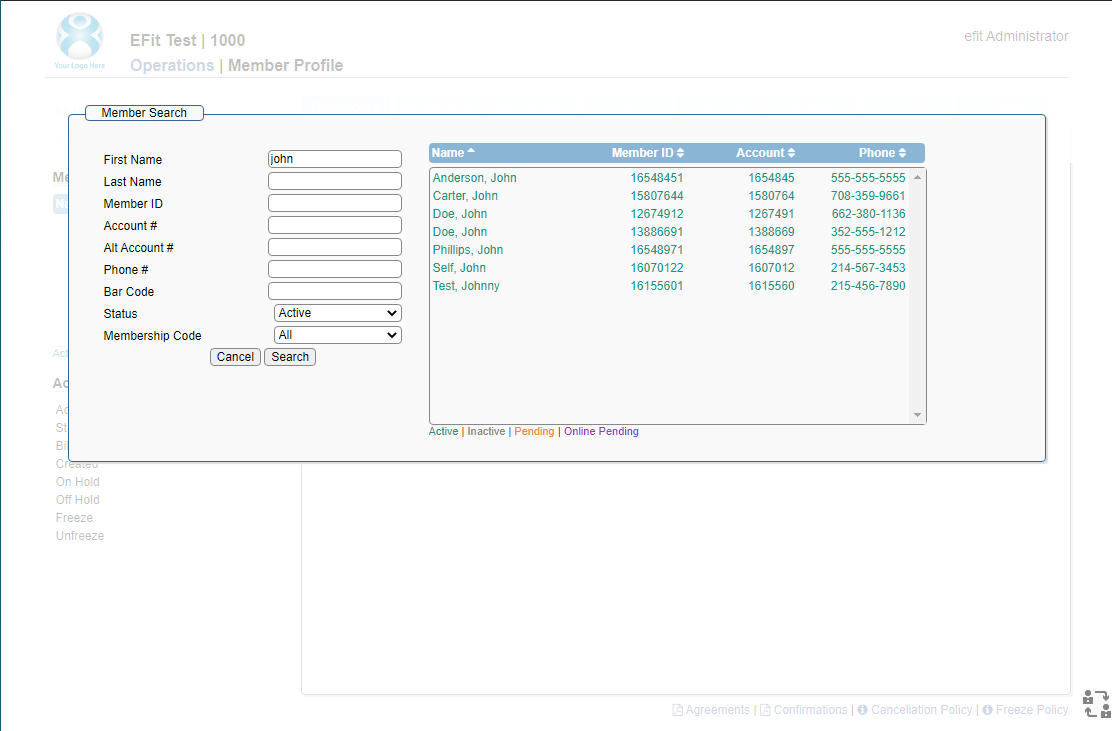
if multiple members populate, choose the primary member.
Choose Payment Method
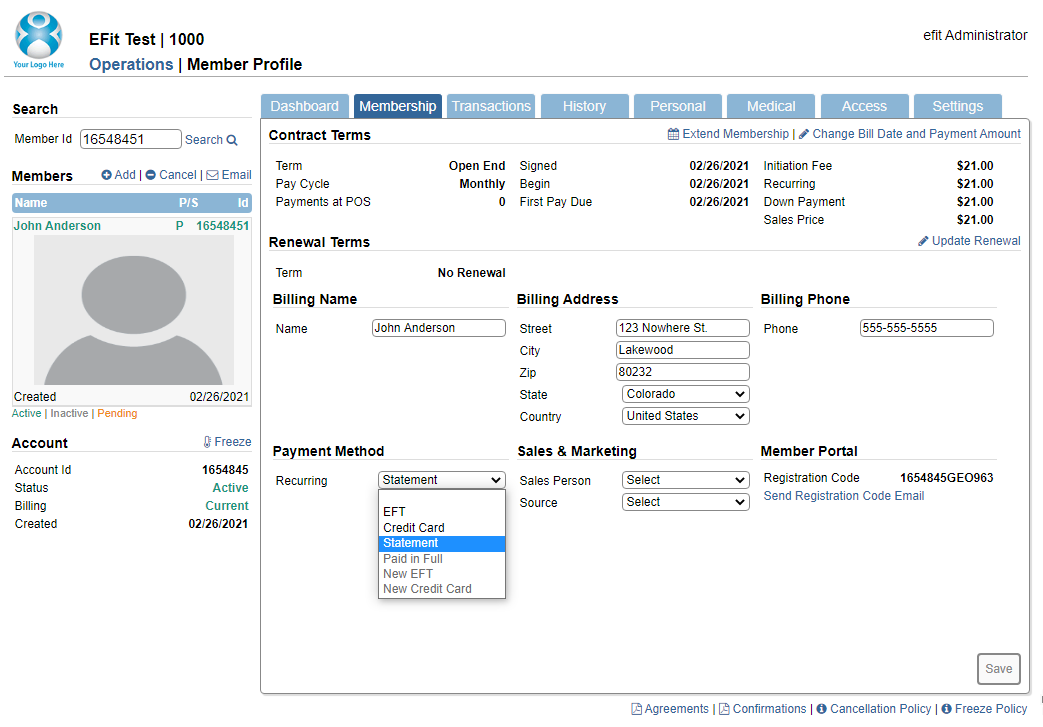
- Go to the Membership Tab
- Verify the name and address info of the billing contact
- Choose to edit the current payment method (bottom option) or select a new payment method from the drop down list.
Update Info
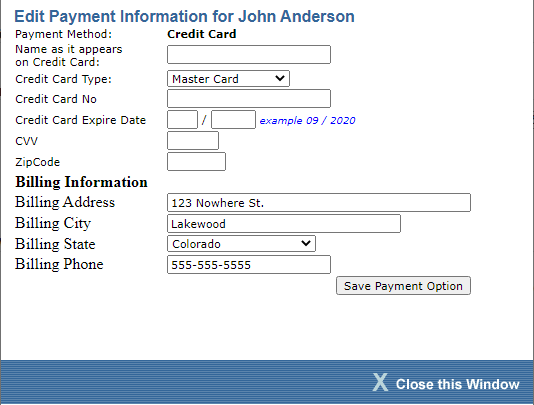
If you're changing for Credit Card or EFT, fill out above. Otherwise just submit to change to the new payment method.
Submit Info
After filling the requirements of the chosen method, hit submit and a submission screen is received when successful.